February 19, 2026

Best GSuite Alternative in 2026? We Tested 9 and Here’s the Winner

Searching for the best GSuite alternative in 2026? We compared 9 leading tools for cost, features, migration ease, and performance. Discover the clear winner.

Contents

Your monthly Google Workspace bill keeps rising, your team depends on it daily, and switching feels risky. That tension is exactly why businesses start searching for the best G Suite alternative in 2026.

Storage limits, admin controls, privacy policies, and per-user pricing now influence real operating costs. We tested nine leading platforms against cost, features, migration effort, and performance to see which one actually earns the switch.

One tool stood out for balance, scalability, and long-term value. The difference becomes clear once you see how each platform performs under practical business pressure.

9 Best Google Workspace Alternatives for Businesses

Business software shapes how teams communicate, manage projects, and protect customer data. The right productivity suite must support document creation, team collaboration, file sharing, and secure communication without slowing daily work.

The platforms below are evaluated for real business use, not feature volume. Each one is positioned based on practical performance, pricing transparency, security depth, and migration effort so the decision feels structured and confident.
1. Microsoft 365

Microsoft 365

Microsoft 365 is the most complete enterprise level office suite for organizations that require advanced productivity tools, data analysis, and seamless collaboration. It combines email, document creation, video conferencing, and cloud based productivity within one mature ecosystem.
  • Best Features
    • Deep integration with Microsoft Teams for instant messaging and video calls
    • Full desktop app support for Word processing, spreadsheets, and presentations
    • Advanced security and compliance controls
    • Strong cross platform compatibility across multiple devices
  • Price
    • Structured pricing plans based on storage space and advanced features
    • Custom pricing options for enterprise deployments
  • Migration Difficulty
    • Moderate
    • Built in migration tools for email and file transfers
    • Low learning curve for teams familiar with Microsoft Office
  • Best For
    • Enterprises and regulated industries
    • Teams needing advanced security and integrated collaboration tools

2. Zoho Workplace

Zoho Workplace

Zoho Workplace delivers a balanced productivity suite designed for small businesses seeking affordability and integrated communication tools. It combines email, document creation, file sharing, and app integrations within a streamlined environment.
  • Best Features
    • Built in word processing, spreadsheets, and presentations
    • Integrated team communication and video conferencing
    • Custom domain emails and shared storage space
    • Free plan for smaller teams
  • Price
    • Transparent pricing plans
    • Free tier for limited users
    • Scalable upgrades as teams grow
  • Migration Difficulty
    • Easy to moderate
    • Import tools for Google Drive and email data
  • Best For
    • Budget conscious teams
    • Non technical users who value a user friendly interface

3. Proton Mail and Proton Drive

Proton Mail and Proton Drive

Proton focuses on privacy driven communication and secure storage. It prioritizes encryption and advanced security over broader collaboration depth.
  • Best Features
    • End to end encryption for email and files
    • Strong security features protecting customer data
    • Clean web interface and desktop app access
  • Price
    • Free version with limited storage space
    • Paid plans for expanded storage and business controls
  • Migration Difficulty
    • Moderate
    • Email migration supported
    • Limited document ecosystem compared to full office suite platforms
  • Best For
    • Privacy focused organizations
    • Businesses handling sensitive information

4. Nextcloud

Nextcloud

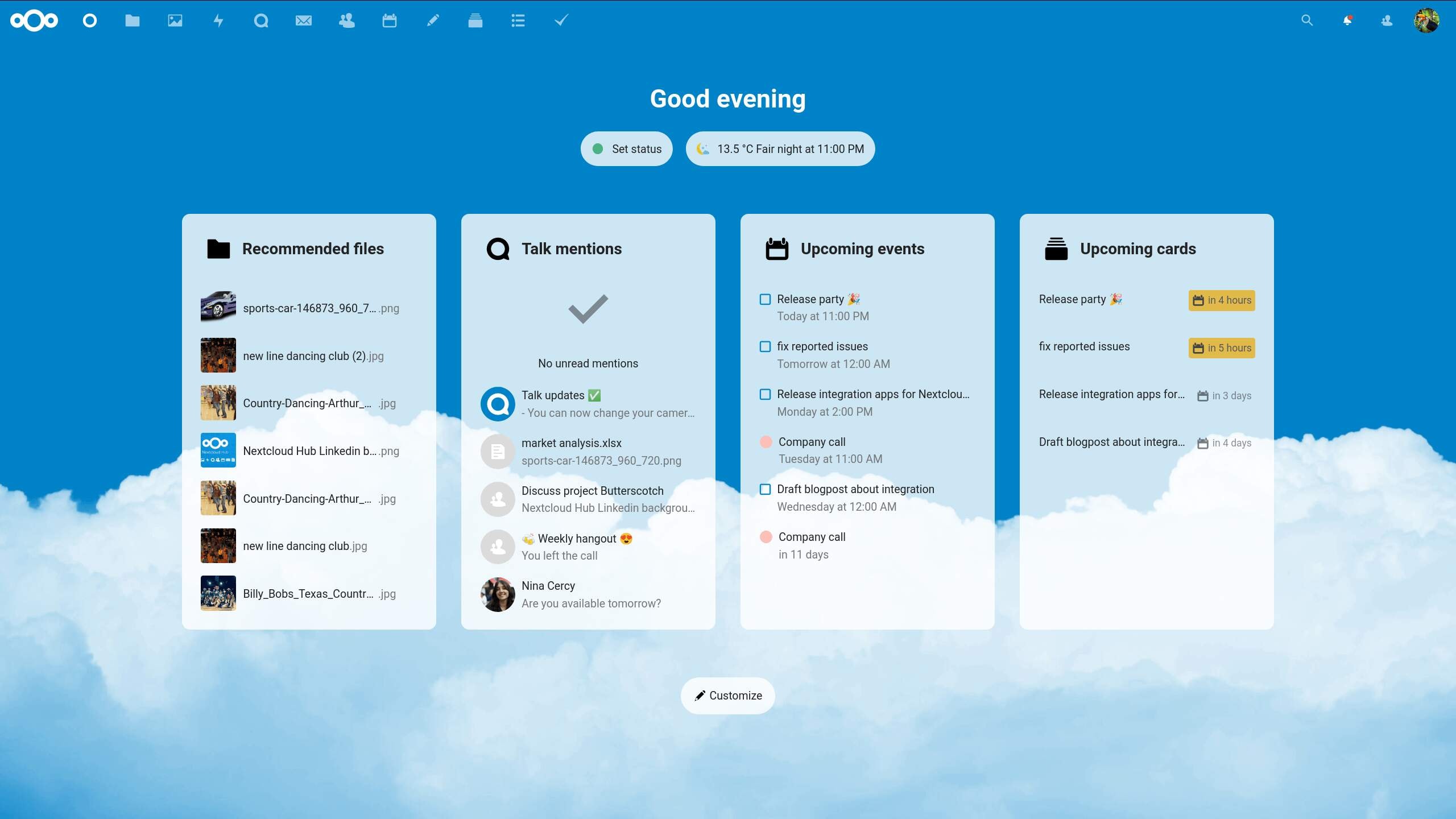
Nextcloud is an open source platform that enables businesses to host their own cloud based collaboration system. It provides full infrastructure control and advanced security customization.

  • Best Features
    • Self hosted deployment
    • Advanced security and compliance configuration
    • Integration with third party tools
    • Strong file sharing and team communication options
  • Price
    • Flexible pricing depending on hosting model
    • Enterprise support packages available
  • Migration Difficulty
    • High
    • Requires internal IT expertise
  • Best For
    • Businesses needing infrastructure control
    • Organizations with technical support teams

5. IceWarp

IceWarp

IceWarp combines email, instant messaging, document creation, and video calls within one platform. It targets business users seeking unified communication without excessive complexity.
  • Best Features
    • Integrated chat functionality
    • Document creation and collaboration
    • Custom domains and shared storage
  • Price
    • Scalable pricing plans
    • Custom pricing for larger deployments
  • Migration Difficulty
    • Moderate
    • Migration assistance available
  • Best For
    • Mid sized businesses seeking consolidated communication tools

6. Fastmail

Fastmail

Fastmail is a business focused email platform prioritizing reliability, streamlined workflows, and clean design. It is not a full project management platform but excels in professional email delivery.
  • Best Features
    • Clean user interface
    • Strong custom domain support
    • Reliable support team
  • Price
    • Clear tiered pricing
    • No permanent free plan
  • Migration Difficulty
    • Easy
    • Straightforward email import process
  • Best For
    • Small businesses focused on secure email management

7. ONLYOFFICE Workspace

ONLYOFFICE Workspace

ONLYOFFICE Workspace centers on document creation and collaboration. It supports feature rich documents and offers both cloud based productivity and self hosted options.
  • Best Features
    • Strong document creation tools
    • Desktop app availability
    • File sharing and team collaboration capabilities
  • Price
    • Free version available
    • Enterprise pricing plans for larger teams
  • Migration Difficulty
    • Moderate
    • Supports document imports from Google Docs and Microsoft Office formats
  • Best For
    • Teams prioritizing creating documents and structured workflows

8. Bitrix24

Bitrix24

Bitrix24 blends productivity tools with project management software and CRM functionality. It helps teams manage projects, manage tasks, and streamline workflows within one ecosystem.
  • Best Features
    • Built in project management platform
    • Task management and communication tools
    • Video conferencing and screen sharing
    • Extensive collaboration tools
  • Price
    • Free plan with limited users
    • Tiered pricing plans for advanced features
  • Migration Difficulty
    • Moderate to high
    • Feature rich environment requires structured onboarding
  • Best For
    • Businesses needing integrated project management and communication

9. Rackspace Email Plus

Rackspace Email Plus

Rackspace Email Plus prioritizes reliability and professional email hosting. It is a simpler suite alternative for companies that need stability without extensive collaboration layers, especially if they are still evaluating what an email service is, why it matters, and how to choose one..

  • Best Features
    • Custom domain emails
    • Strong uptime reliability
    • Support for multiple users
  • Price
    • Per user pricing model
    • Scalable for small businesses
  • Migration Difficulty
    • Easy
    • Email migration support included
  • Best For
    • Businesses focused primarily on secure email delivery

Each of these platforms solves a different business constraint, from advanced security and enterprise controls to affordability and streamlined email. The right choice depends on how your team collaborates, manages projects, and handles customer data at scale.

Best G Suite Alternatives Compared At A Glance

Below is a clean, decision-focused comparison table. It highlights positioning, pricing flexibility, migration effort, and ideal business fit so readers can quickly narrow options before diving deeper.

Platform Core Strength Free Plan Migration Difficulty Best For Notable Differentiator
Microsoft 365 Full enterprise office suite No (trial only) Moderate Enterprises, regulated industries Deep integration with Microsoft Teams and desktop apps
Zoho Workplace Affordable all-in-one productivity suite Yes Easy to Moderate Small businesses Strong value with integrated communication tools
Proton Mail & Drive Privacy-first secure email Yes Moderate Security-focused teams End-to-end encryption and advanced security
Nextcloud Self-hosted control No High IT-driven organizations Full infrastructure ownership
IceWarp Unified communication suite No Moderate Mid-sized companies Built-in chat and video conferencing
Fastmail Professional business email No Easy Email-focused small businesses Clean user interface and reliability
ONLYOFFICE Workspace Document-centric collaboration Yes Moderate Document-heavy teams Strong document creation tools with desktop app
Bitrix24 Project management platform + CRM Yes Moderate to High Teams needing project management Task management and workflow automation
Rackspace Email Plus Reliable hosted email No Easy Email-first organizations High uptime with simple setup

This snapshot shows positioning, but surface comparisons rarely reveal long-term value. The next step is understanding how each tool was tested and scored under real business conditions.

How We Tested And Scored Each Alternative

A list of suite alternatives only helps if the scoring is consistent. We treated Google Workspace as the baseline for what modern work demands, then tested each option against the same business workflows.

We scored every productivity suite using a fixed rubric, then pressure-tested daily tasks that business users repeat all week.

  • Scoring Criteria
    • Core Work: email stability, storage space, document creation, and file sharing
    • Collaboration: team collaboration quality, communication tools, and meeting experience
    • Workflow Fit: support for a project management platform, task management, and app integrations
    • Security: protection for customer data, admin controls, and advanced security depth
    • Reality Check: user interface clarity, learning curve, and support team responsiveness
  • What We Actually Tested
    • Documents: ability to create feature rich documents and keep formatting stable
    • Calendar Rhythm: scheduling reliability compared to google calendar habits
    • Team Chat: speed and usability compared to google chat patterns
    • Sharing: external access rules for external partners without creating permission chaos
    • Switching: export quality, import reliability, and onboarding friction
  • Example
    • A common test was a client handoff folder with shared docs, comments, and access roles.
    • Another test was rebuilding a weekly meeting flow, invites, notes, and follow-ups.

The scores below are not about having all the features, they reflect which tools stay smooth under real team pressure.

Winner: The Best G Suite Alternative For Most Teams

Most users do not need the most complex setup, they need consistent collaboration, predictable pricing plans, and tools that do not break under growth. The winner is the platform that covers the essentials Google Workspace offers, while adding stronger control and long-term flexibility.

Based on our tests, Microsoft 365 is the best G Suite alternative for most teams because it delivers the most complete office suite experience with reliable collaboration tools.

  • Why It Won
    • Coverage: email, document creation, file sharing, and video conferencing work as one system
    • Consistency: fewer workflow gaps when teams mix desktop and cloud based productivity
    • Collaboration: Microsoft Teams adds strong team communication and instant messaging
    • Scalability: admin controls and advanced security stay solid as headcount grows
  • Where It Clearly Beats The Field
    • Desktop App Depth: strong for word processing, spreadsheets, and heavy editing
    • Enterprise Readiness: mature admin controls and compliance options
    • Cross-Team Work: better handling of meetings, chat, and shared files in one place
  • When The Winner Might Not Be Your Best Pick
    • Privacy-First Teams: Proton may suit better when encryption is the priority
    • Self-Hosted Control: Nextcloud fits better when infrastructure ownership is required
    • Budget-First Small Businesses: Zoho Workplace can offer better value for lean teams

Now that the winner is clear, the next step is matching the right tool to your business type, so the choice fits your team’s day-to-day reality.

Best G Suite Alternatives by Business Type and Use Case

No single productivity suite fits every operating model. A 12-member startup managing rapid client onboarding has different needs than a regulated enterprise handling sensitive customer data.

The comparison below aligns business structure with the tools that support that workflow best. This is about operational fit, not feature volume.

Business Type Primary Need Recommended Tool Why It Fits
Startups Affordable productivity suite with room to scale Zoho Workplace Offers a free plan, strong collaboration tools, and flexible pricing plans without a steep learning curve
Small Businesses Reliable email, document creation, and simple team communication Microsoft 365 Familiar office suite, strong desktop app support, and smooth file sharing across multiple devices
Privacy-Focused Firms Advanced security and control over customer data Proton Mail and Proton Drive Encryption-first approach with strong security features and controlled storage space
IT-Driven Organizations Infrastructure ownership and external partner control Nextcloud Self-hosted deployment with advanced security and flexible access permissions
Agencies Manage projects, streamline workflows, and handle multiple clients Bitrix24 Built-in project management software, task management, and communication tools in one platform
Enterprise Teams Compliance, scalability, and advanced features Microsoft 365 Enterprise-grade controls, video conferencing, and strong cross platform compatibility
Document-Heavy Teams Create feature rich documents and structured collaboration ONLYOFFICE Workspace Strong document creation engine with desktop app support
Email-First Businesses Professional custom domain emails and stability Rackspace Email Plus Focused reliability with minimal configuration friction
Hybrid Teams Seamless collaboration and video calls across locations Microsoft 365 Integrated Microsoft Teams for instant messaging, video conferencing, and structured team collaboration

This alignment narrows the field from nine options to the one that matches your business model. The final step is mapping this decision to your transition plan so execution stays smooth from day one.

Steps to Transition From Google Workspace Smoothly and Securely

A controlled migration protects data, preserves workflows, and prevents downtime. Google Workspace, formerly G Suite, connects email, files, calendars, and logins, so the move must follow a structured order.

Below are the core stages of a secure transition. Each step is explained where clarity improves execution.

1. Map What Your Team Actually Uses

Before exporting anything, document real usage patterns. This prevents surprises during migration.

  • Audit active users, shared inboxes, and custom domain emails
  • Identify critical files stored in Google Sheets and shared drives
  • Note reliance on more advanced features such as admin automation or workflow rules

Clear visibility here reduces errors later.

2. Audit Integrations and Connected Services

Google accounts often power logins for other tools. Missing this step breaks workflows.

  • List all third party and internal integrations
  • Check CRM, billing systems, support tools, and analytics platforms
  • Review SSO configurations and permission dependencies

If your team logs into five systems using Google credentials, each must be reassigned before the switch.

3. Clean and Back Up Critical Data

Migration works best when unnecessary clutter is removed first.

  • Deactivate unused accounts
  • Confirm ownership of shared folders
  • Export key assets including spreadsheets and Google Forms responses

Backing up before switching protects operational continuity and gives you a clean base to check email address availability and validity in the new environment..

4. Configure the New Platform in Parallel

Set up your new environment before redirecting email traffic.

  • Create user roles and admin permissions
  • Structure storage space and access rules
  • Configure collaboration defaults for meetings and communication

This parallel setup prevents disruption during DNS changes.

5. Migrate Email Before Files

Email continuity protects business reputation, especially when you maintain list health with an email verification checker..

  • Transfer mailboxes and archives in stages
  • Validate inbox access and forwarding rules
  • Confirm alias and domain routing accuracy

Once mail flow is stable, move shared files and document libraries.

6. Update DNS and Validate Deliverability

Technical validation ensures clients and partners experience no interruption.

  • Update MX, SPF, DKIM, and DMARC records
  • Send test messages internally and externally
  • Confirm calendar invites and meeting links function correctly

Deliverability checks protect brand credibility.

7. Train Teams With Role-Based Onboarding

Adoption determines long-term success.

  • Walk admins through security and policy controls
  • Guide team members through daily workflows
  • Assign a short-term internal support lead

Clear onboarding shortens the learning curve, and power users who lived in Gmail may benefit from layering in a Boomerang Gmail alternative for scheduling and reminders during the transition..

8. Run a Stabilization Review

The final pass confirms the system operates under real conditions.

  • Monitor file sharing permissions
  • Verify recurring meetings and shared calendars
  • Check collaboration settings for external partners

A short review cycle turns a migration into a stable operating shift.

Once stability is confirmed, the focus shifts from moving systems to evaluating long-term fit, which includes revisiting Google Workspace pricing plans and discounts, which brings us to who should remain with Google Workspace and who benefits most from switching..

Who Should Stay With Google Workspace?

Switching tools creates leverage only when it solves a structural constraint. If your current setup already supports how your team works every day, continuity can deliver stronger returns than migration.

Use the signals below to assess whether Google Workspace still fits your operating model, and separately decide whether you still need a standalone bulk email marketing tool for large campaigns..

  • Deep Daily Use of Google Docs and Sheets
    • Real-time editing drives collaboration speed
    • Shared templates and comment threads power execution
    • Cross-team coordination depends on browser-based document workflows
  • Full Dependence on the Google Ecosystem
    • Gmail, Drive, Calendar, Meet, and Chat function as one connected environment
    • File sharing permissions are already structured and stable
    • Teams rarely need external plugins to complete core work
  • Low Appetite for Change Management
    • New hires adapt quickly because the interface is familiar
    • Leadership prefers operational continuity over platform experimentation
    • Internal training resources are focused elsewhere
  • Mature Admin and Security Setup
    • Access controls and retention policies are already defined
    • External collaboration with clients and partners runs smoothly
    • Audit and compliance settings are actively maintained
  • Workflow Stability Across Departments
    • Marketing, operations, and finance rely on shared drives and calendars
    • Cross-functional collaboration happens without workflow gaps
    • The current system checks all the boxes for daily execution

If these conditions reflect your environment, optimizing how Google Workspace is used may deliver more value than replacing it.

With both sides examined, the remaining questions address edge cases and practical concerns that influence final decisions.

FAQs

1. Is There a Reliable Alternative to Google Workspace for Teams That Depend Heavily on Google Docs?

Yes. Microsoft 365 and ONLYOFFICE support real-time editing and structured document workflows. Teams that rely on advanced formatting may prefer Microsoft 365, while ecommerce brands should also think about how ecommerce email templates plug into whichever suite they choose..

2. Which Key Features Matter Most When Comparing Business Productivity Suites?

Focus on document creation, file sharing control, security settings, integration depth, and communication reliability. Ignore platforms that advertise many features but lack workflow stability.

3. Can These Platforms Replace Microsoft Office and Still Offer a Strong Desktop App Experience?

Microsoft 365 fully replaces Microsoft Office with strong desktop apps. ONLYOFFICE offers capable desktop editing, while browser-only suites suit lighter use.

4. How Do Collaboration Tools Like Microsoft Teams Compare With Built-In Chat and Video Options?

Microsoft Teams suits larger organizations with structured chat and meetings. Built-in chat and video tools work well for smaller teams with simpler needs.

5. Should Businesses Using Dropbox Business Consider Switching to an Integrated Suite Instead?

If teams use Dropbox Business only for storage and depend on separate apps for email and meetings, an integrated suite can simplify workflows and improve control, while a dedicated comparison of the best email marketing services can cover outbound campaigns..

Conclusion

Switching productivity platforms is not about chasing trends, it is about aligning tools with how your team actually works. The right decision improves collaboration speed, strengthens control over data, and reduces operational friction without adding complexity.

If your current setup limits flexibility, cost efficiency, or scalability, now is the moment to evaluate your options with clarity and explore smart ways to gain new clients that go beyond tooling alone. Choose the platform that supports your workflow, not just your feature checklist, and commit to implementing it with structure, including how you build an email list and keep people engaged once the new stack is in place.

The best GSuite alternative in 2026 is the one that strengthens execution across your entire organization, not just your inbox.

No items found.

Sushovan Biswas

Share Post:

Comments System WIDGET PACK

Start engaging with your users and clients today